
Fulfilment software
Track your orders, stock and returns in Lyra WMS. We handle the warehouse work; you see what happens to your products.
A single point of contact Based in Weert
From order to return
Select a section and see how Lyra WMS displays orders, stock and returns. These provided illustrations show the functions; we will discuss the configuration during the integration.
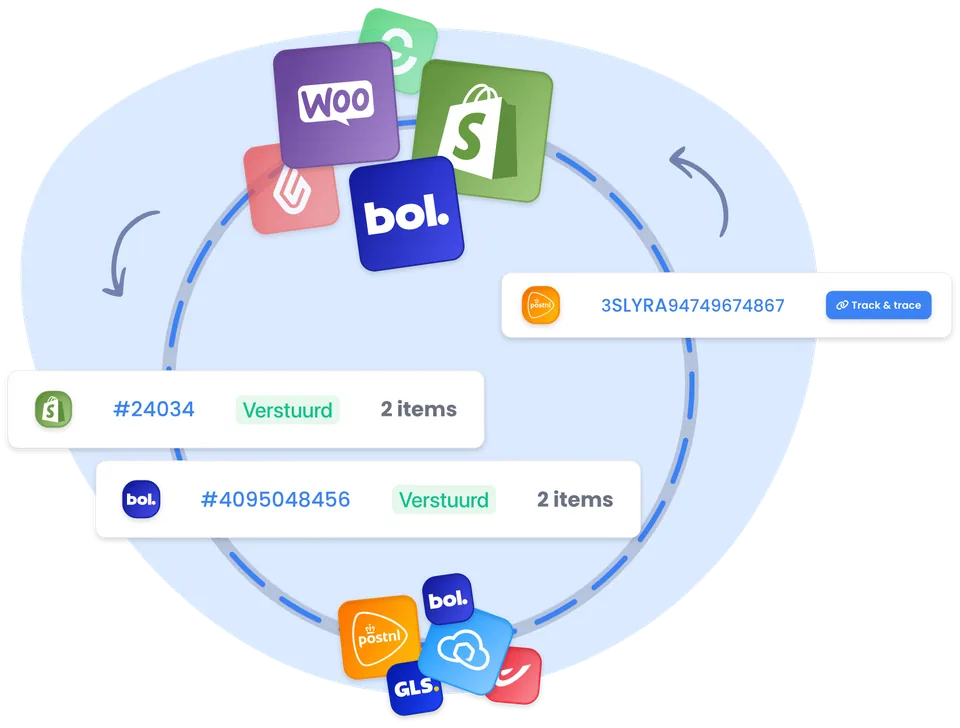
Consolidate orders from your sales channels
An order from your online shop or marketplace appears in the same overview. You can see the sales channel, the reference number and the dispatch status.
This allows you to track an order without having to open different sales channels. If you have any questions about the process, your dedicated account manager will be happy to help.
Available, reserved and in transit
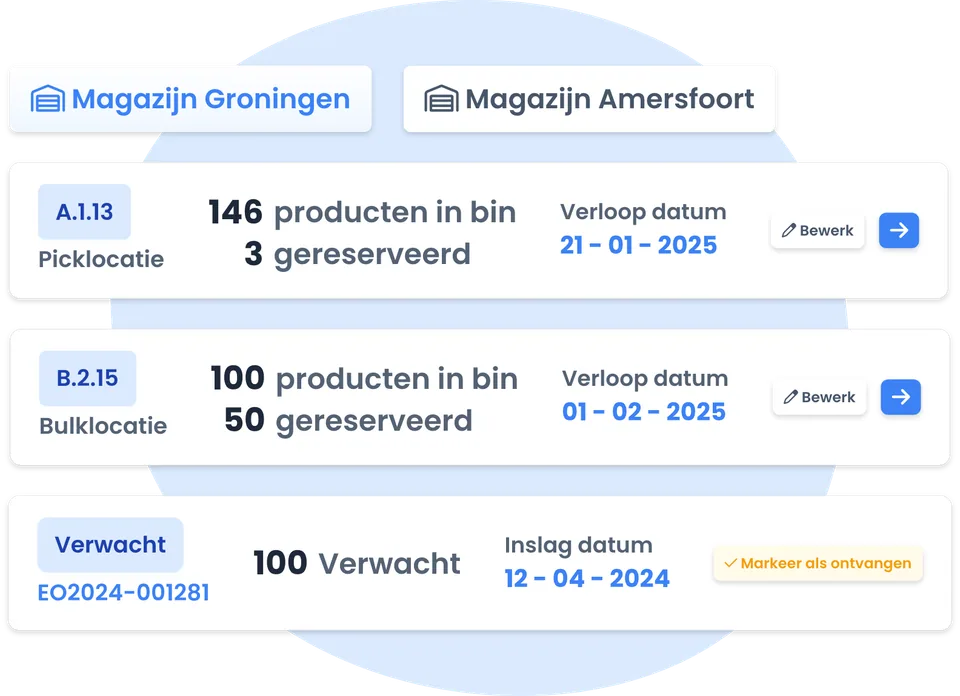
View how much stock is available for sale, what has already been reserved for orders and what is expected. Pick and bulk locations are listed separately in the overview.
The illustration shows how stock is displayed across locations. The locations and quantities shown are example data.
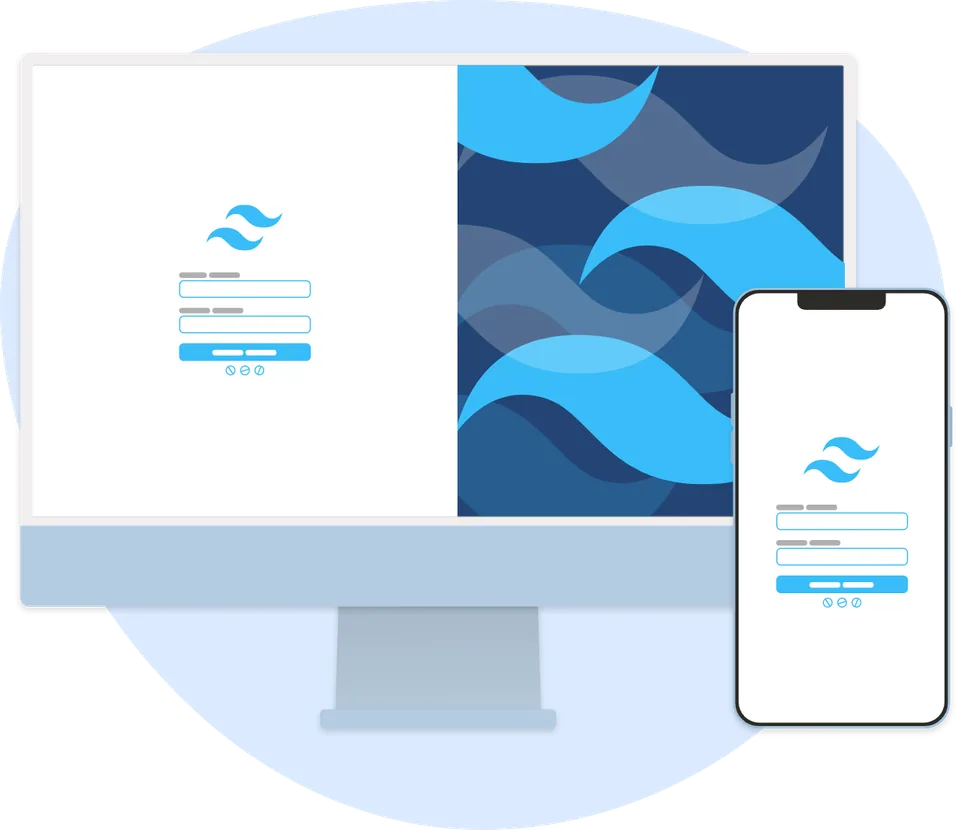
Report a return, even from your mobile phone
The returns portal provides your customer with a clear place to register a return. The example shows how it appears on a computer and a smartphone.
We will discuss the further processing with you: for example, checking a product, restocking it or setting it aside.
The images show examples of Lyra WMS. Figures and locations are illustrative. We will tailor the layout to your online shop.
Behind every order lies a work process
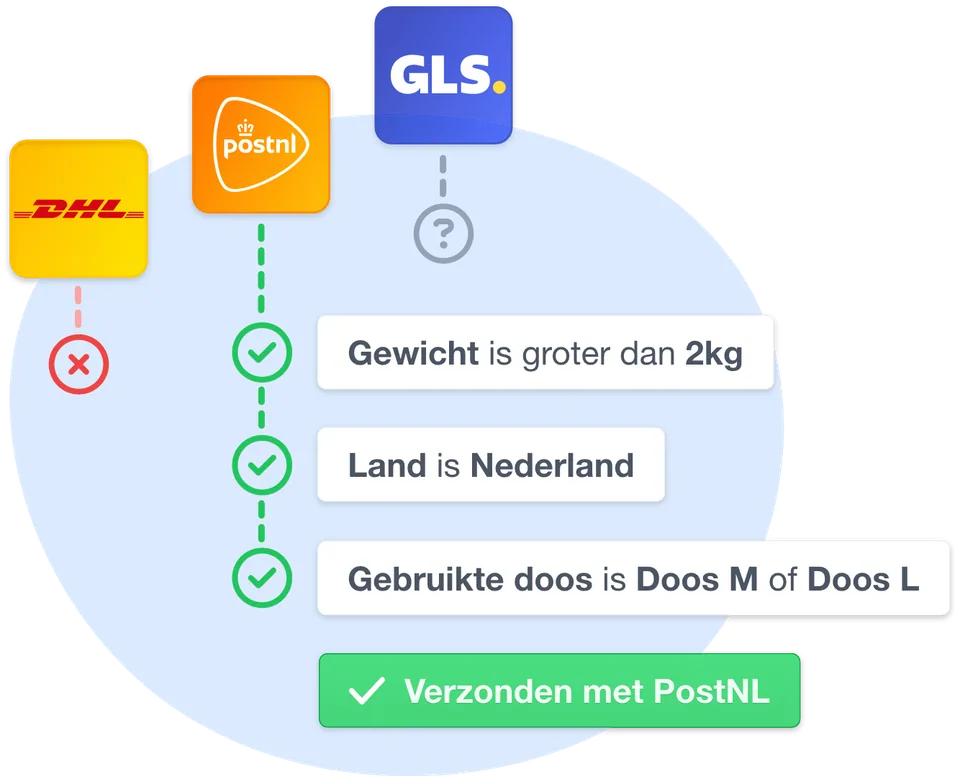
Delivery options to suit your orders
A light parcel to the Netherlands may require a different dispatch method to a heavy parcel sent abroad. This example illustrates the rules regarding weight, destination and the box used.
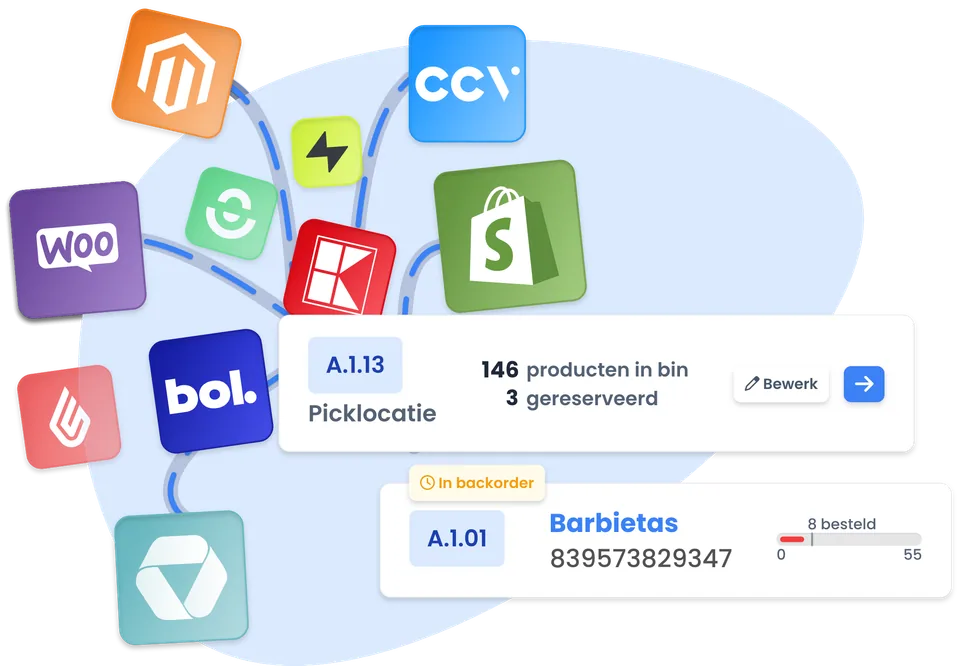
Sales channels and stock linked
In the channel overview, you can see which online shop or marketplace is connected and which stock location is being used. The product example also shows a backorder.
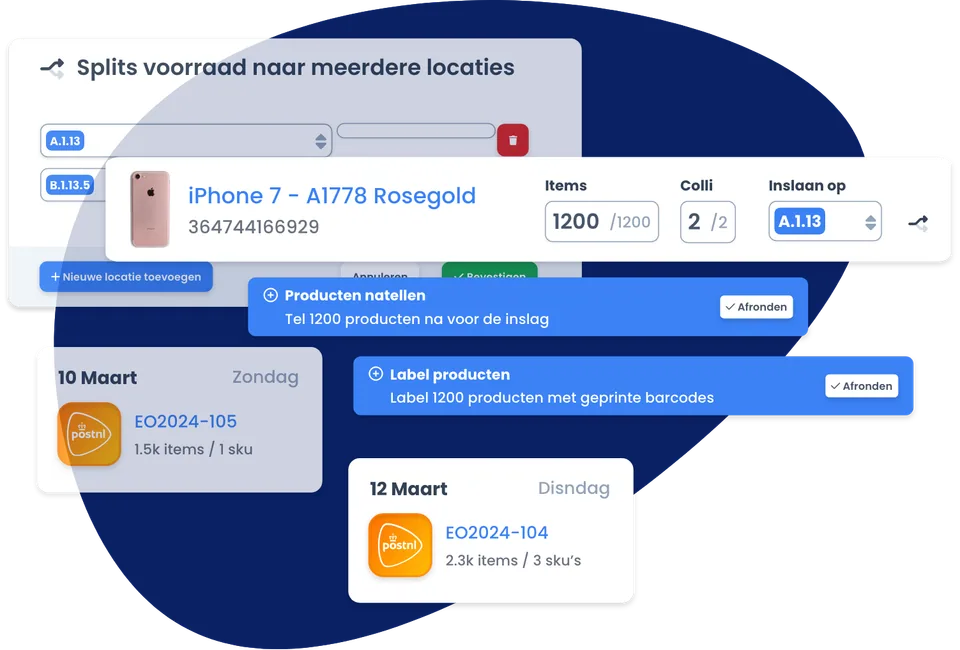
Also an overview of incoming stock
A stock-in begins with the products and quantities you supply. The example shows storage locations and tasks, such as counting and labelling, so that the receiving process is also clear.
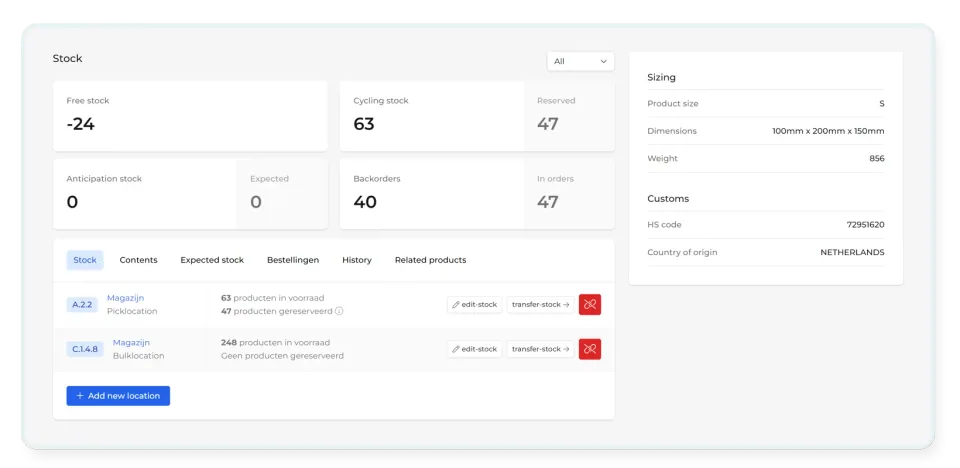
The product data behind a successful dispatch
Stock levels, warehouse locations and product dimensions are grouped together. In this example, you can also see customs details: information that may be relevant for international shipments.
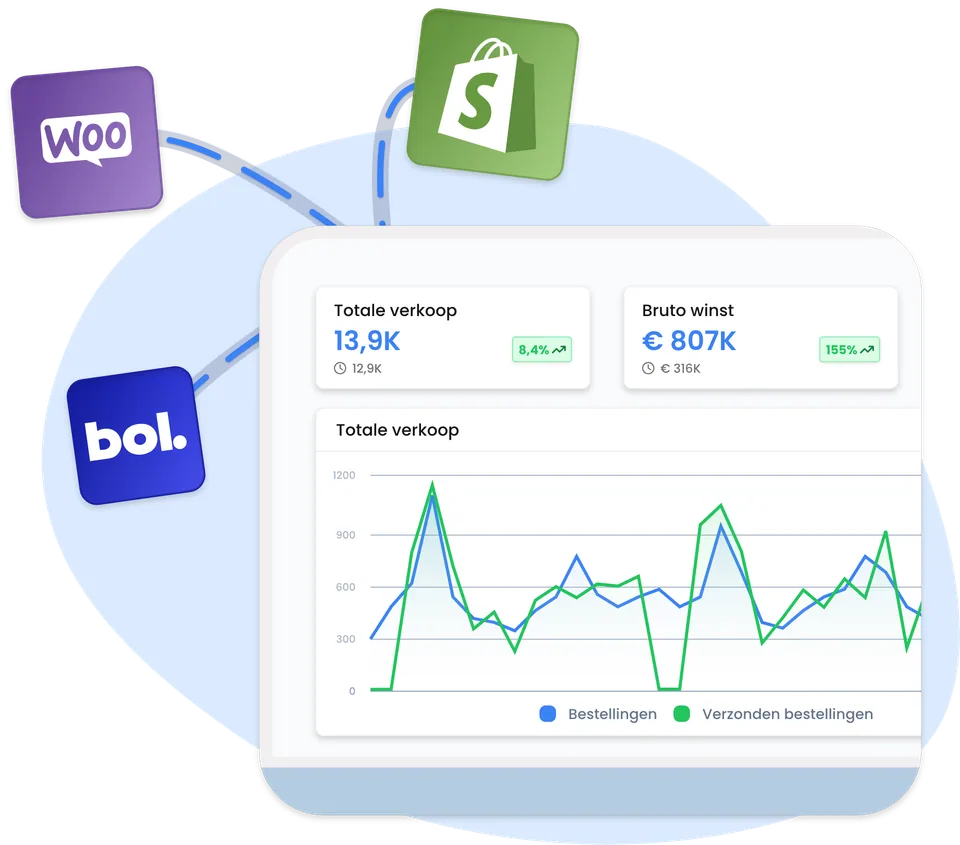
A snapshot of your online shop’s activity
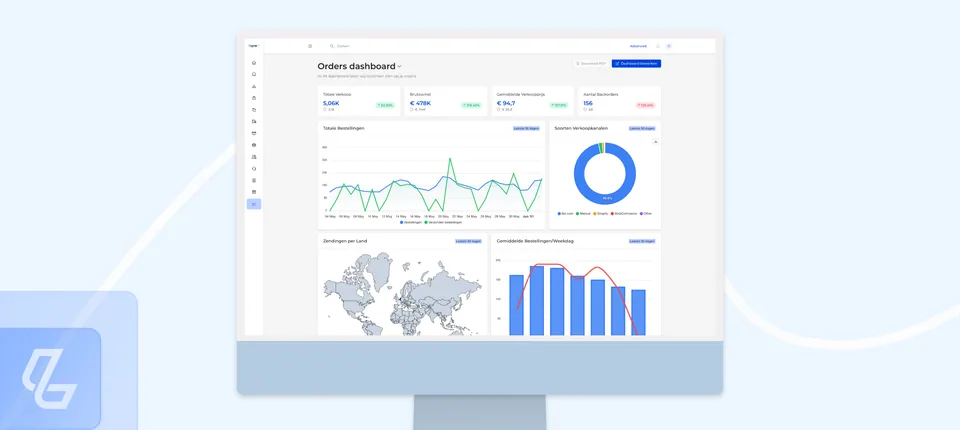
Order insights reveal patterns in orders and shipments. The graph and sales figures in this illustration show the data; these are example figures.
Your order from online shop to warehouse
We link your sales channels to Lyra WMS. Incoming orders are linked to your stock and processed in the warehouse. You can track your logistics via the customer portal.
Schematic representation of the process.
You can follow this
Orders
Check the status of your orders, even if you sell through multiple channels.
Stock
See which products are available and which stock movements have been processed.
Dispatch
Please follow the dispatch instructions for your orders. We will agree on carriers and destinations in advance.
Returns
We receive and check returns in accordance with your arrangements. The processing is synchronised with your stock levels.
Connecting your platform
Titan works with platforms such as Shopify, WooCommerce, Magento, Lightspeed, bol.com and Amazon. We’ll check the options available for your situation. Please also let us know if you use bundles, multiple shops or special stock rules.
Test the integration first
Discuss your approach
We will review your platform, product details and returns and dispatch arrangements.
Set up & test
We will align product codes and settings and test the order flow before launch.
Access & explanation
You will be given access to the client portal and an explanation of the process. Please contact the Titan team if you have any questions.
Integrate with your sales channels








Questions
Frequently Asked Questions
Will I have access to my own account area?
Yes. You will be granted access to the customer portal as part of the start of your collaboration with Titan.
Is my platform not listed here?
Please let us know which platform you are using. We will check the options and any additional work required.
Can the software be used on its own?
Here we describe the software as part of Titan’s fulfilment services. Please discuss any specific requirements with us.
Next step
Curious to know how much fulfilment will cost you?
We’ll calculate your volume, SKUs and dispatch profile and send you a bespoke quote. You’ll receive a reply within one working day.